
Features
What MatCMS brings along — without you having to collect a dozen extensions first.
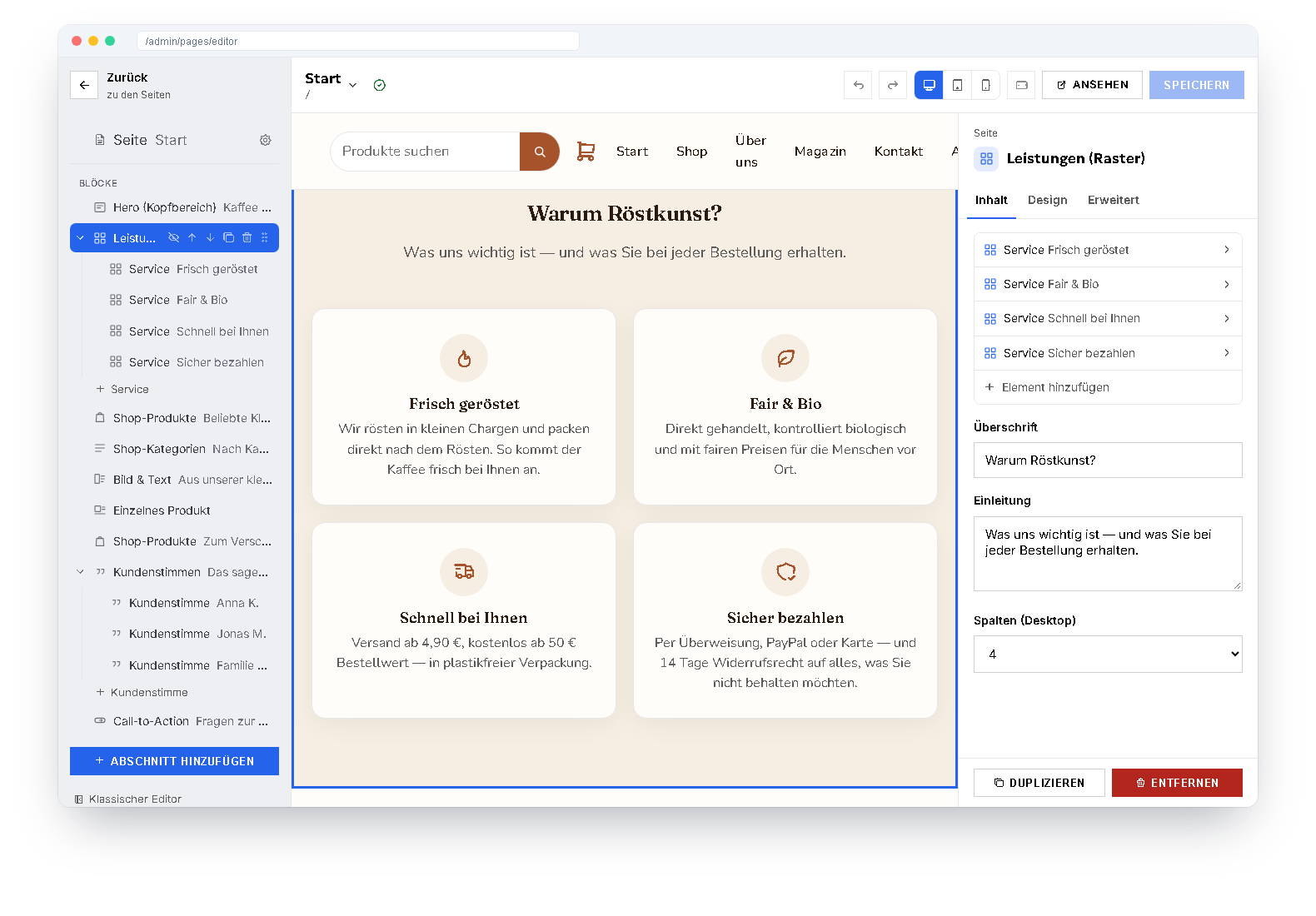
The block editor
Every page consists of blocks. In the editor you see the structure as a tree, the page as visitors see it, and the fields of the selected block.
- Drag and drop — also between nested levels
- Edit texts directly in the preview
- Undo, redo and one shared save
- Every block with its own spacing, its own width and its own CSS if you like
- Reusable components for elements that appear on many pages
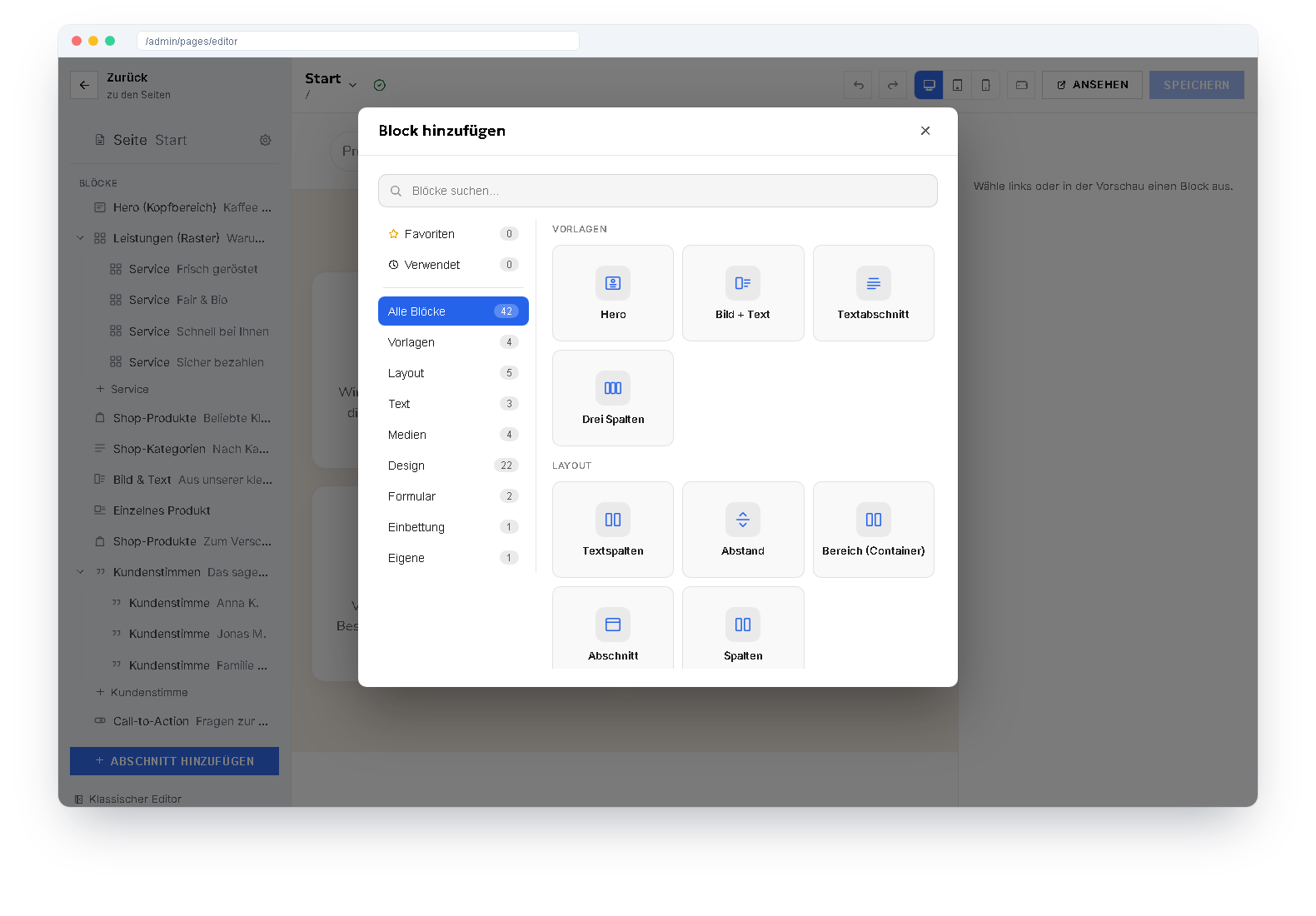
Blocks for every purpose
The block dialog sorts by layout, text, media, design, form and embedding — with search, favourites and recently used blocks.
Hero with image or slideshow, image & text, cards, bento grid, timeline, testimonials, counters, pricing table, comparison, gallery with lightbox, logo strip, FAQ, form and custom HTML — plus the blocks from blog, shop and plugins.
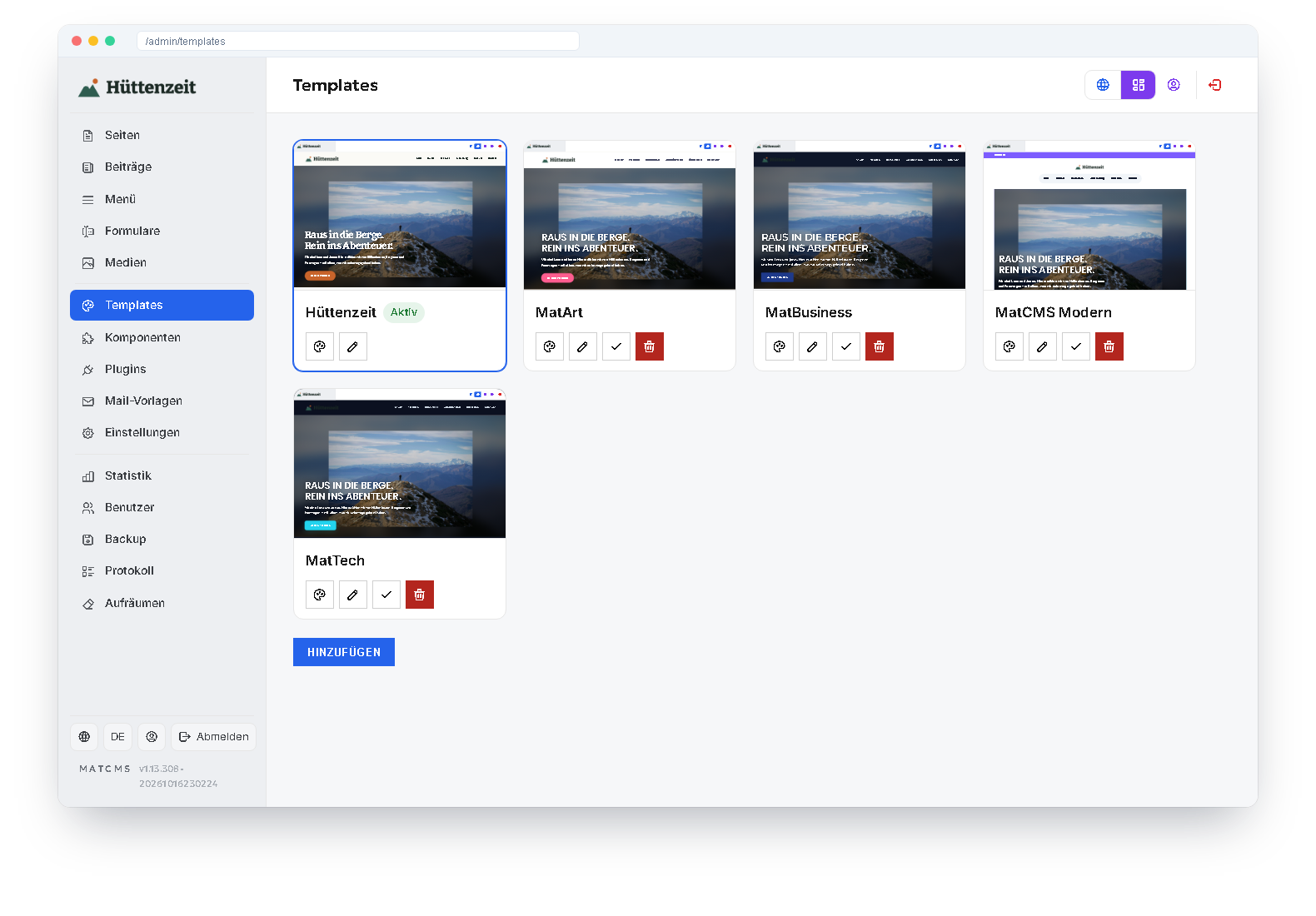
Templates and design
Set colours, fonts, spacing and buttons in the template; all blocks follow automatically. If you want more, edit the template files, add your own CSS or give individual pages a different template.
- Several templates per website, switchable with a preview
- Header, footer and page parts maintained centrally
- Menus with up to four levels, menu items by sign-in status
Multilingual from the start
Every page can have its own version per language — with its own address such as /en/about.
One page, several versions
Language versions are linked; the page list shows which language is missing.
Translation comparison
See field by field what is translated and what is still missing — and edit it right there.
Translate automatically
At the push of a button with DeepL or your own LibreTranslate instance — as a draft to rework.
Forms and members
Forms
The form editor shows the result immediately. Besides the usual fields there are groups, conditions, an image picker and a date range with two months — a full-screen dialog on the phone.
- Confirmation page and notification by email
- Submissions in the admin, adjustable spam protection
- All texts translatable per language
Members area
Release pages for signed-in members only — for everyone or for a specific role. Menu items can be shown or hidden for guests or members.
- Sign-in, forgot password, email confirmation
- Self-registration on or off as you wish
- The same account serves as the customer account in the shop
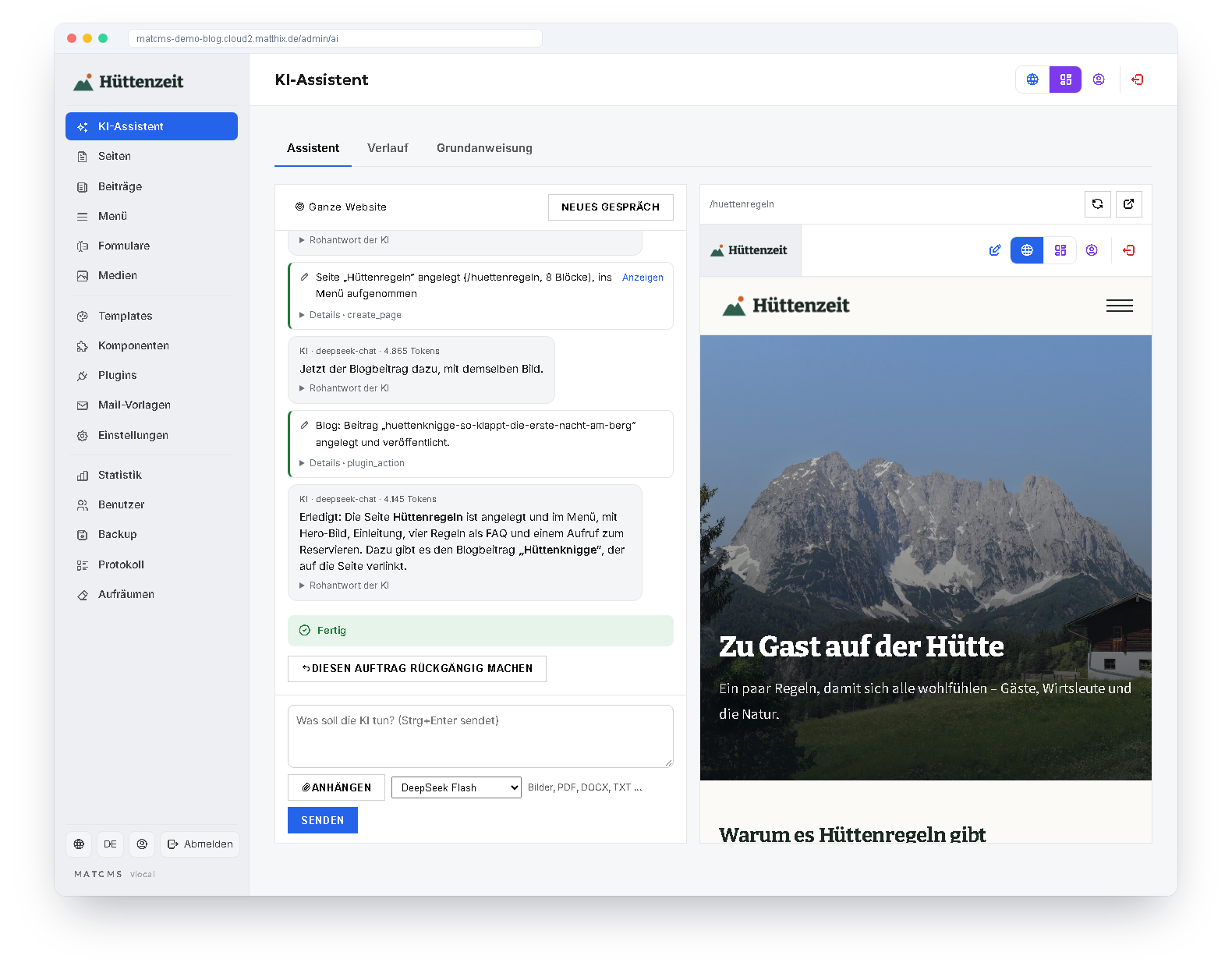
AI assistant
Tasks in plain sentences: the assistant builds pages and blocks, writes blog posts, creates shop products and, if you wish, builds custom block types. Every step is visible, every task can be undone.
You choose the AI yourself — your own API key for OpenAI, DeepSeek or OpenRouter, a ChatGPT account or the MatCMS Cloud — and switch between several profiles.
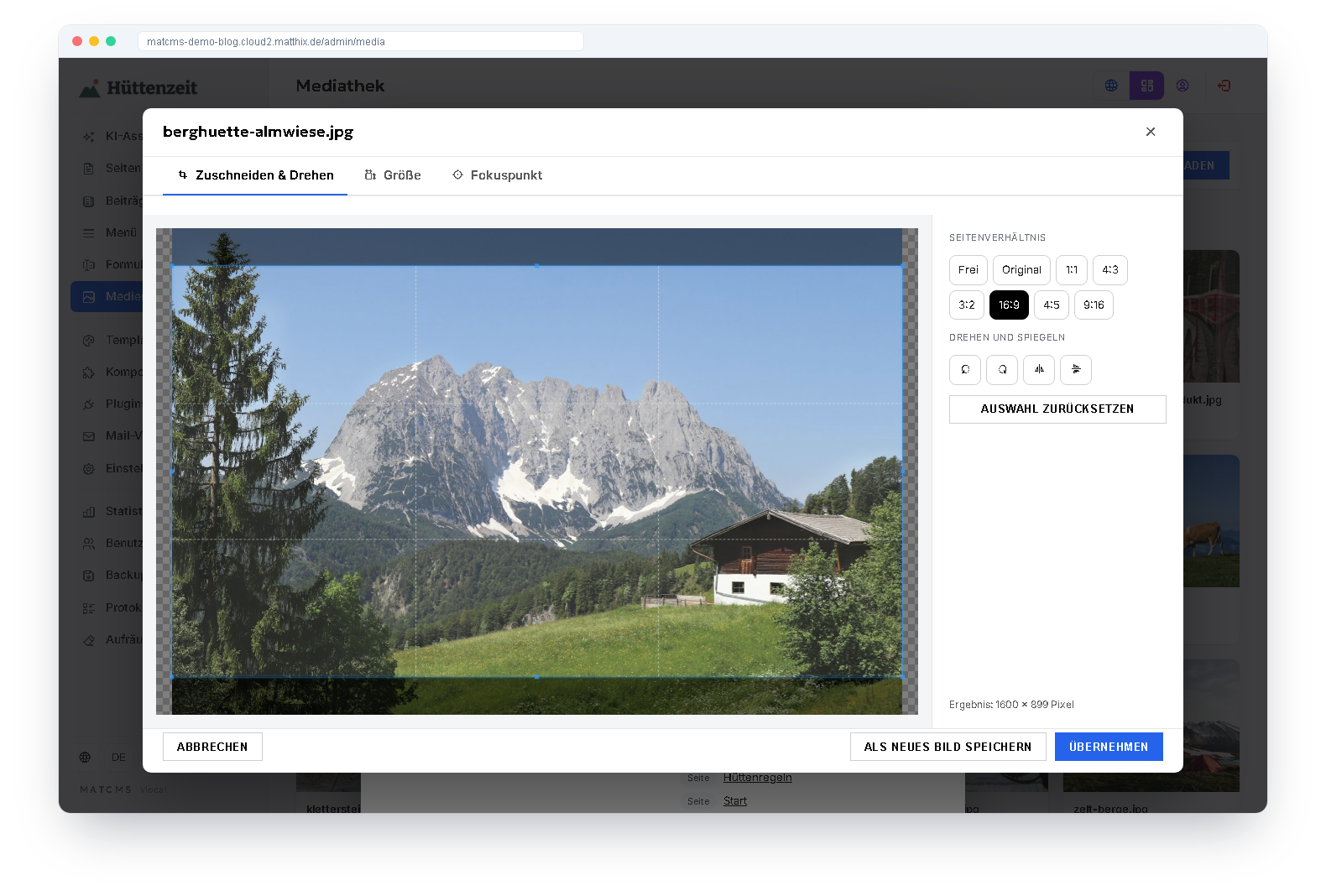
Media library and image editor
A click on an image shows dimensions, size, alt text, tags and where it is used. Editing happens in its own dialog: crop to fixed aspect ratios, rotate, flip, scale down.
- “Apply” keeps the address — every page shows the new version immediately, the original is kept
- A focus point keeps the important part of the image when hero, card or gallery crop it
- Metadata such as camera data and location are removed on saving
- SVG graphics as code with a live preview
“Clean up” finds images, plugins and components that are no longer used anywhere, shows a preview and deletes only after confirmation.
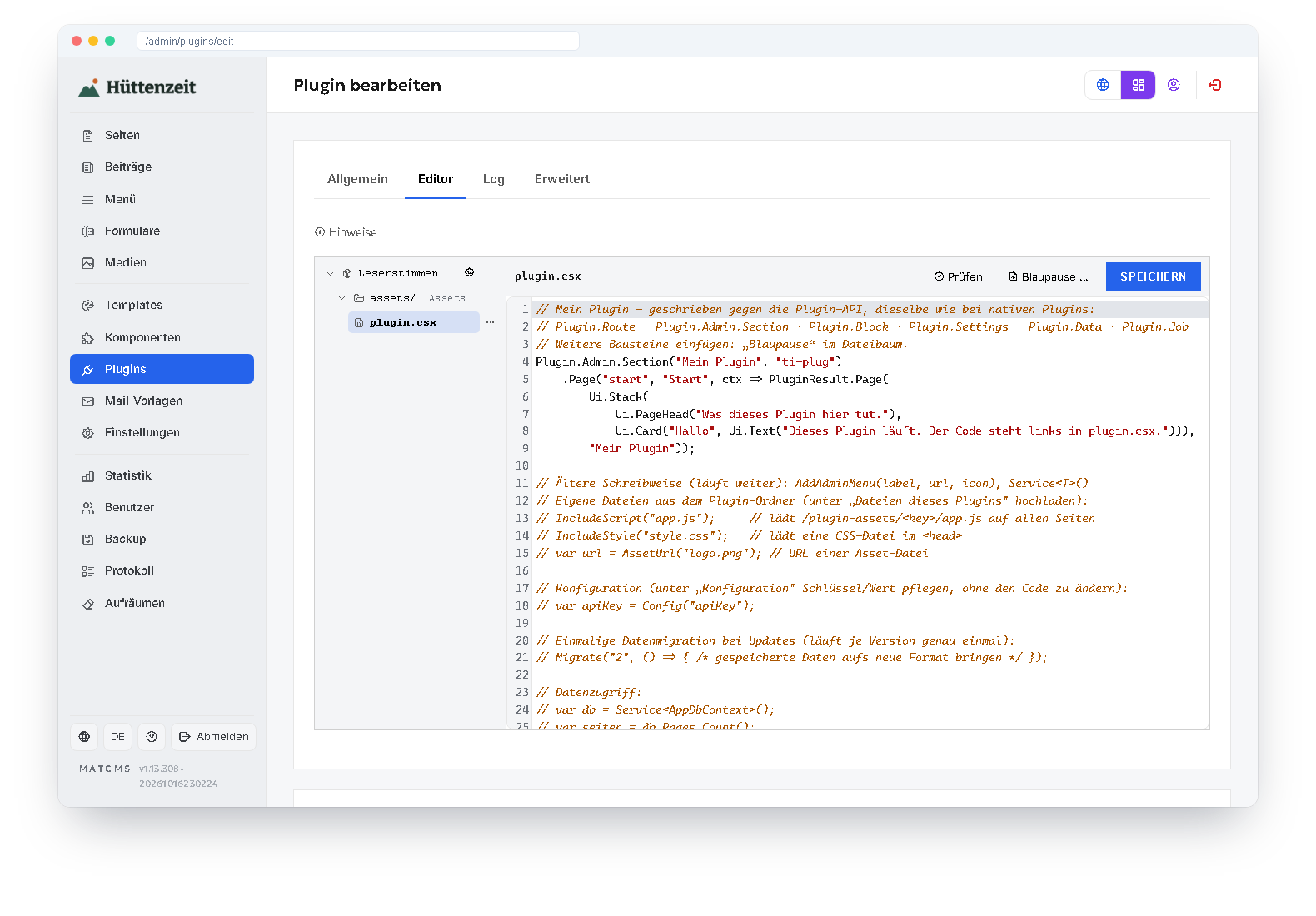
Extensible with plugins
You write plugins in C# — as a script directly in the browser with code completion, or as a compiled extension. Both use the same interface: custom pages in the admin, blocks, settings, data tables, menu items, mails and scheduled tasks.
Blog and shop are themselves built as plugins. Compiled plugins are locked by default because they run with all rights. The AI assistant writes plugins as well — they stay switched off until you have checked them.
Operation and security
So that a website does not only run on the first day.
Want to try it yourself?
Three ready-made websites show what MatCMS looks like in practice.
See the demos