
Say what should change. The AI builds it.
The AI assistant of MatCMS works directly on your website — with the blocks, images and plugins you use yourself. You see every step and can undo every task.
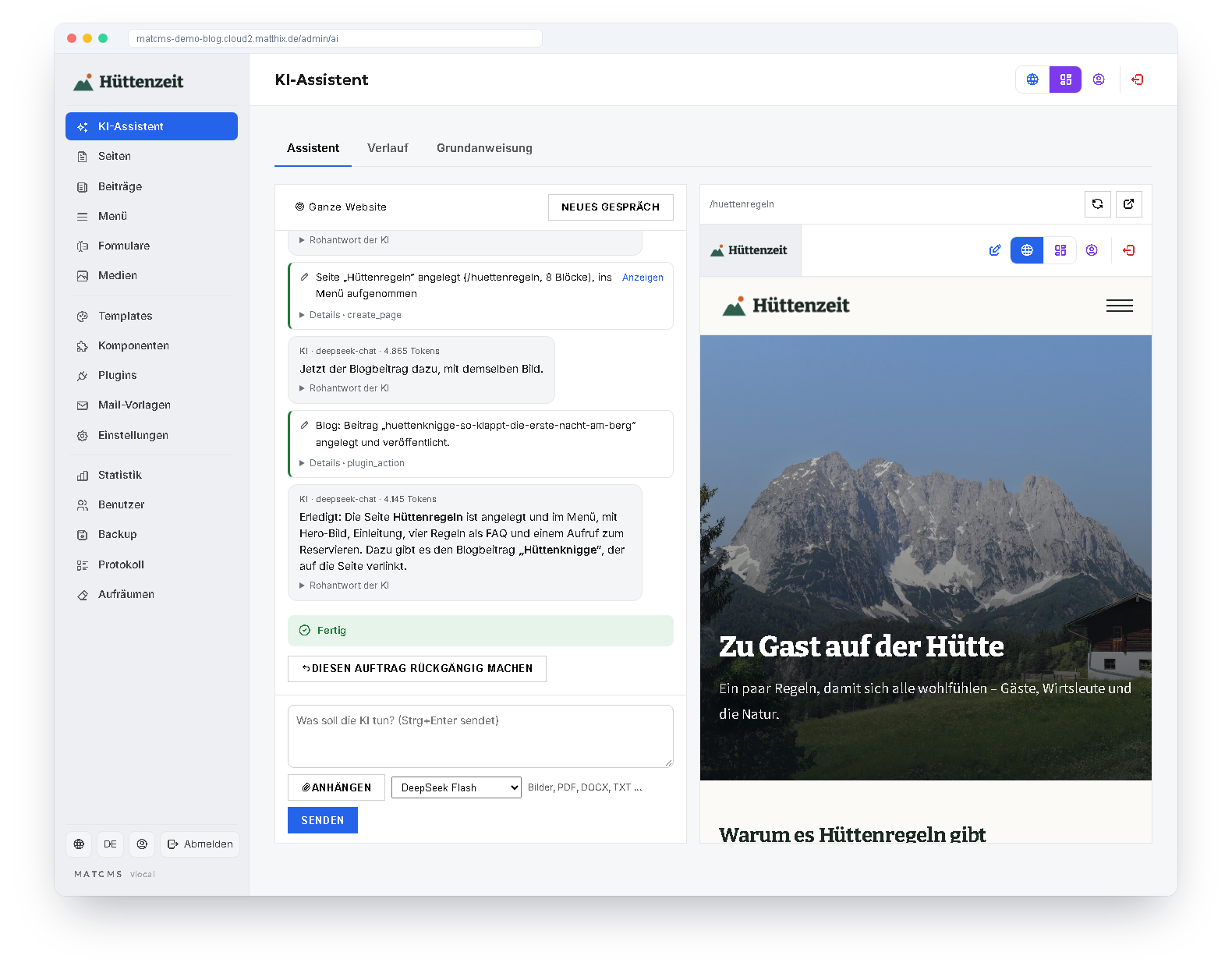
What the assistant can do
You write the task in plain sentences — as you would to a web designer.
Pages and blocks
Create new pages, rebuild existing ones or just improve one block — with all fields: images, lists, columns, styling.
Website, page or block
Opened from the editor, it works on this page or this block — strictly only there if you wish.
Blog and shop
Write and change blog posts, create products and categories, set vouchers and variants.
Components and templates
Build custom block types when no existing one fits, and adjust the layout and CSS of the template if you wish.
Attachments
Photos end up in the media library and on the page; it takes the texts from PDFs and Word documents.
Undo
Every task can be undone with one click — pages, blocks, menus, design, posts and products.
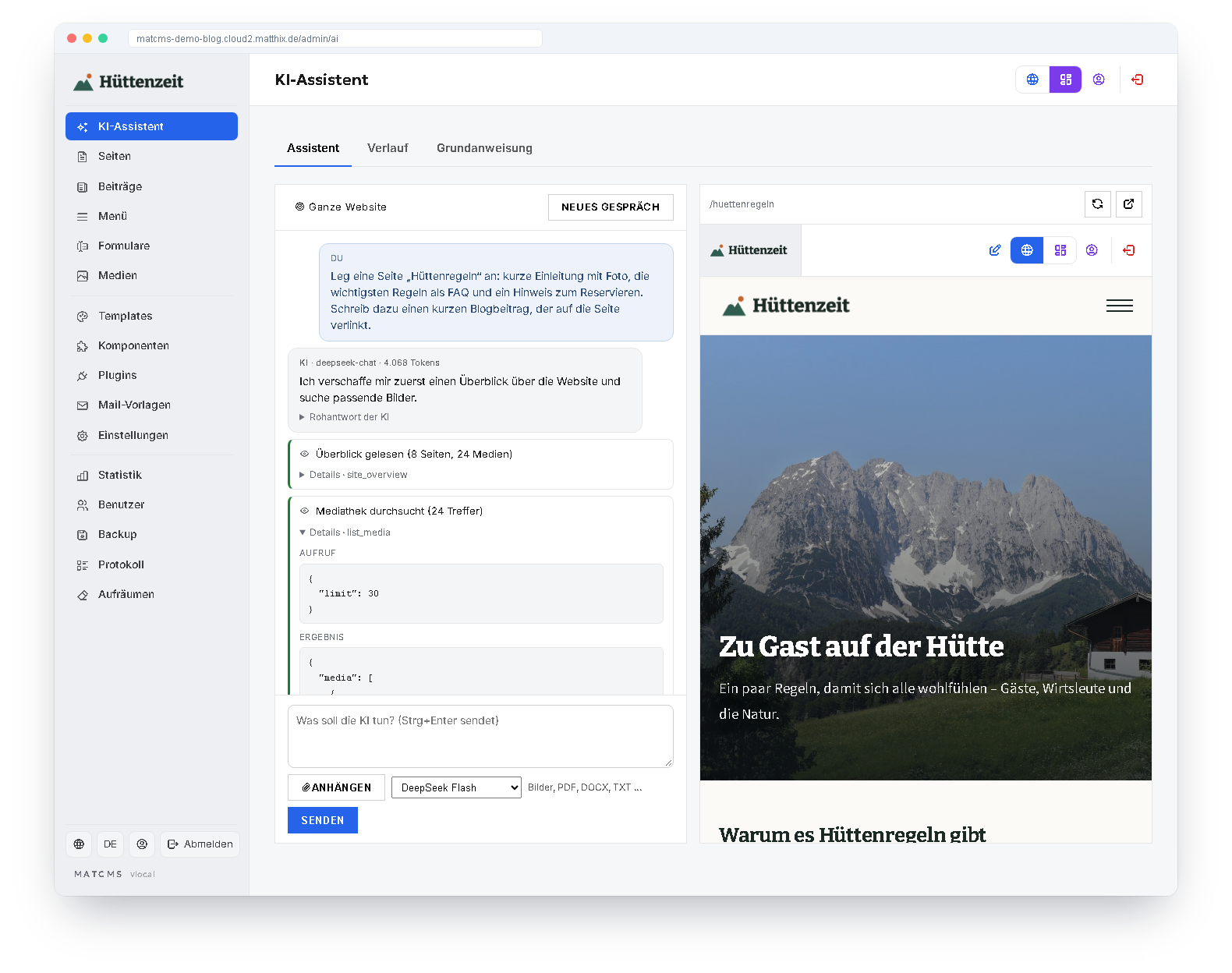
You see what the AI does
Every action is in the history: which page was read, which block was created, which post was written — with all details and the raw answer of the AI if you wish. On the right, the live preview shows the page that is being worked on.
At the end of every task it is clear how it went: done, waiting for your answer or paused — then one click on “Continue” is enough.
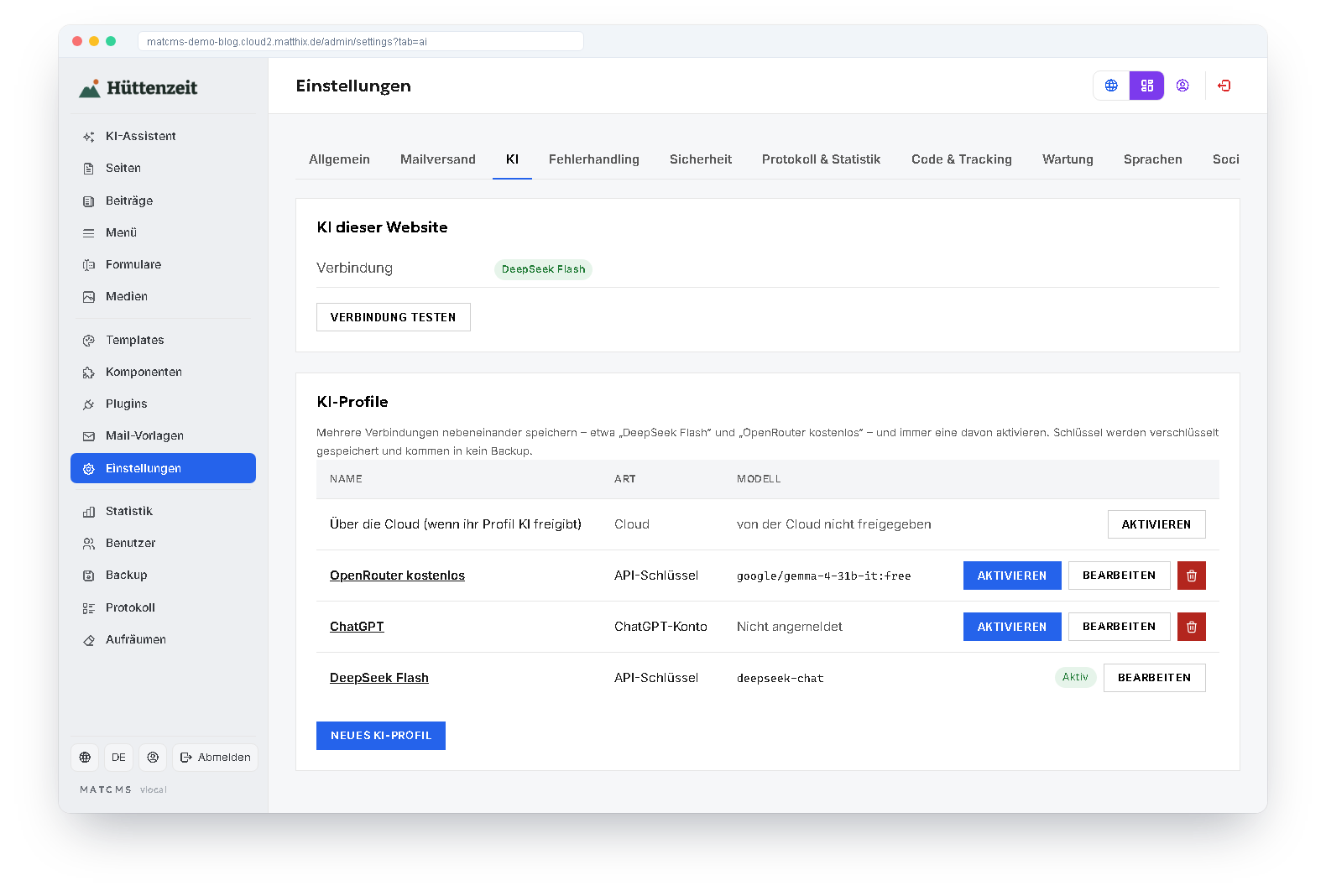
Your AI, your choice
MatCMS does not need a cloud for the AI. Under Settings → AI you create AI profiles and activate one of them:
- your own API key for OpenAI, DeepSeek, OpenRouter or a compatible server
- free models from OpenRouter — “Load models” with the filter “free only”
- signing in with a ChatGPT account by code
- or the AI of the MatCMS Cloud when the website is connected
Switching is also possible directly in the assistant.
With a seat belt
An assistant that works on a real website needs limits.
Curious now?
The AI assistant is part of every MatCMS installation. You only need an AI connection.
To the installation