
The shop is already in
Products, orders, payments and invoices — in the same system as your website. Switch it on, create products, sell.
Open the demo shop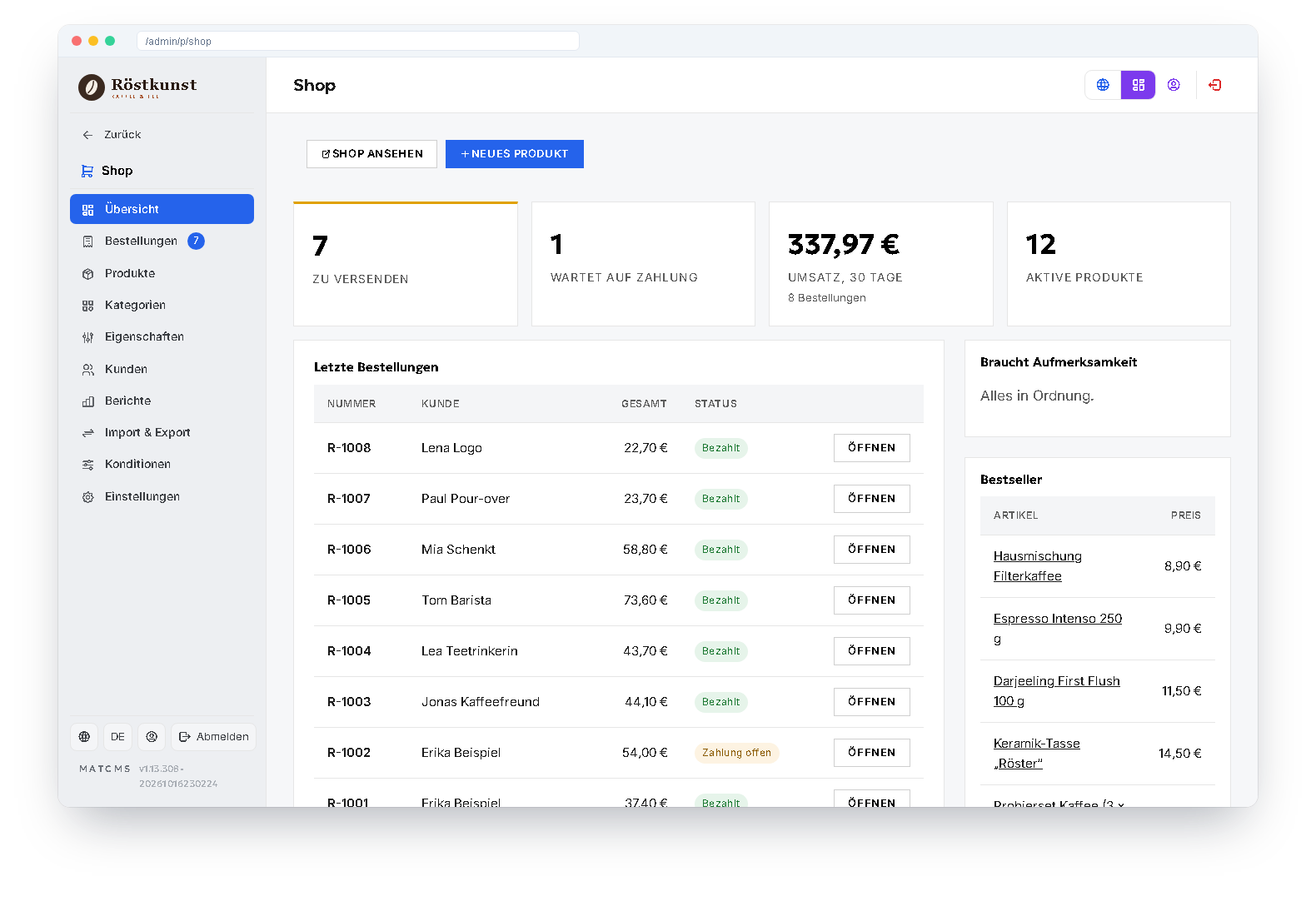
What the shop can do
Payments
Stripe, PayPal and prepayment. Online payments only count as paid once Stripe or PayPal confirm them.
Invoice & credit note
PDF invoices with your logo and gap-free numbers; a refund automatically produces a credit note.
Taxes & EU OSS
Gross prices, tax rates per product, VAT by delivery country and export without VAT.
Variants & stock
Sizes, colours or grinds as variants with their own price and stock; sold out means sold out.
Vouchers
Percentage, fixed amount or free shipping — with validity, minimum value and usage limit.
Digital products
Protected downloads after payment, with an expiry date and a limited number of downloads.
Catalogue
Categories at any depth, properties as filters, search with suggestions, tags.
Customer account
Orders with progress display, addresses, invoices and shipment tracking.
Shipping
Shipping methods by country, free shipping above an order value, delivery note and tracking link.
Orders under control
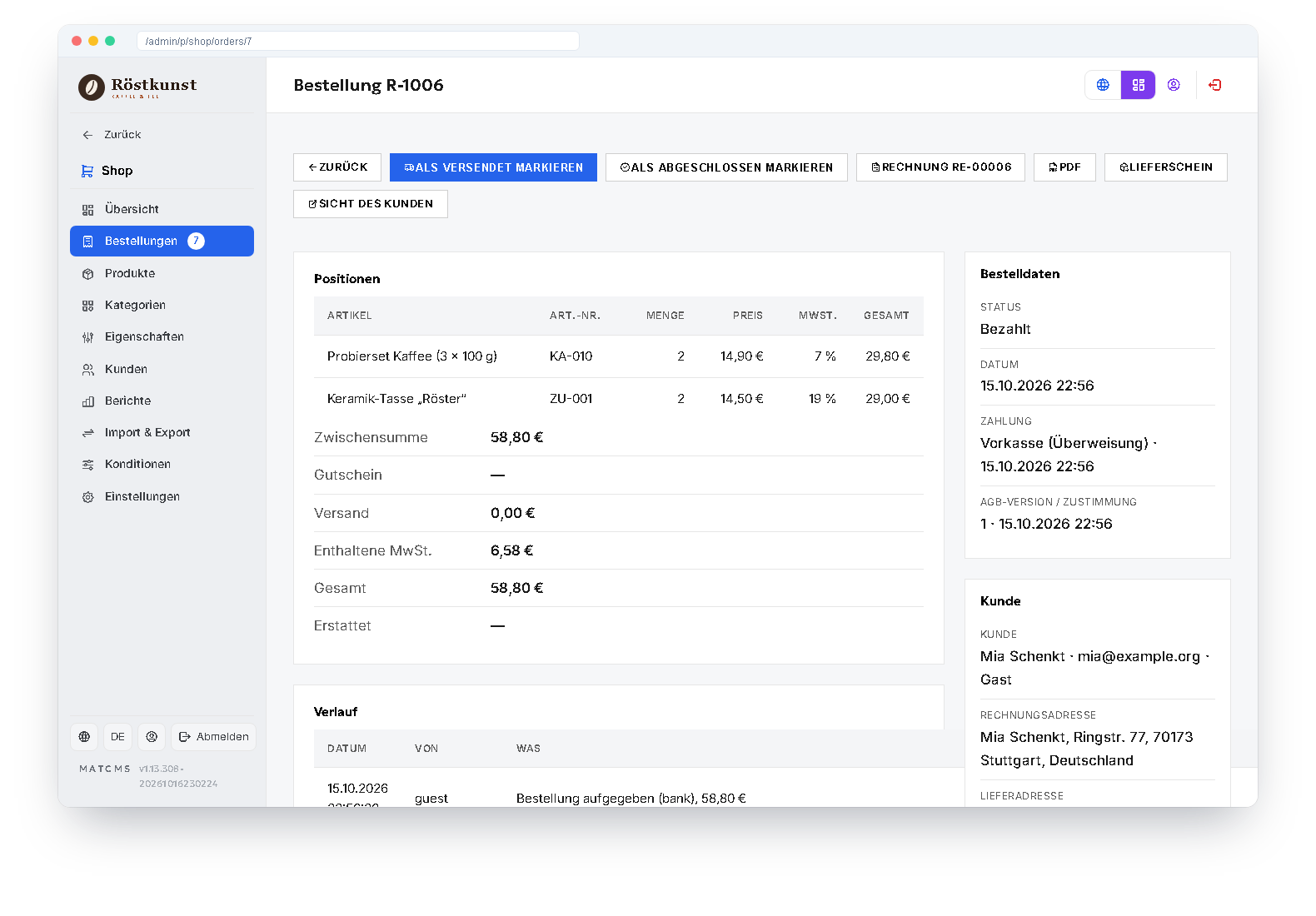
Every order shows items, payment, customer and history at a glance. The next step — paid, shipped, completed — is a button at the top of the page; invoice, delivery note and the customer's view are one click away.
In the list a traffic light shows what is waiting for shipping and where money is still missing.
Maintaining products
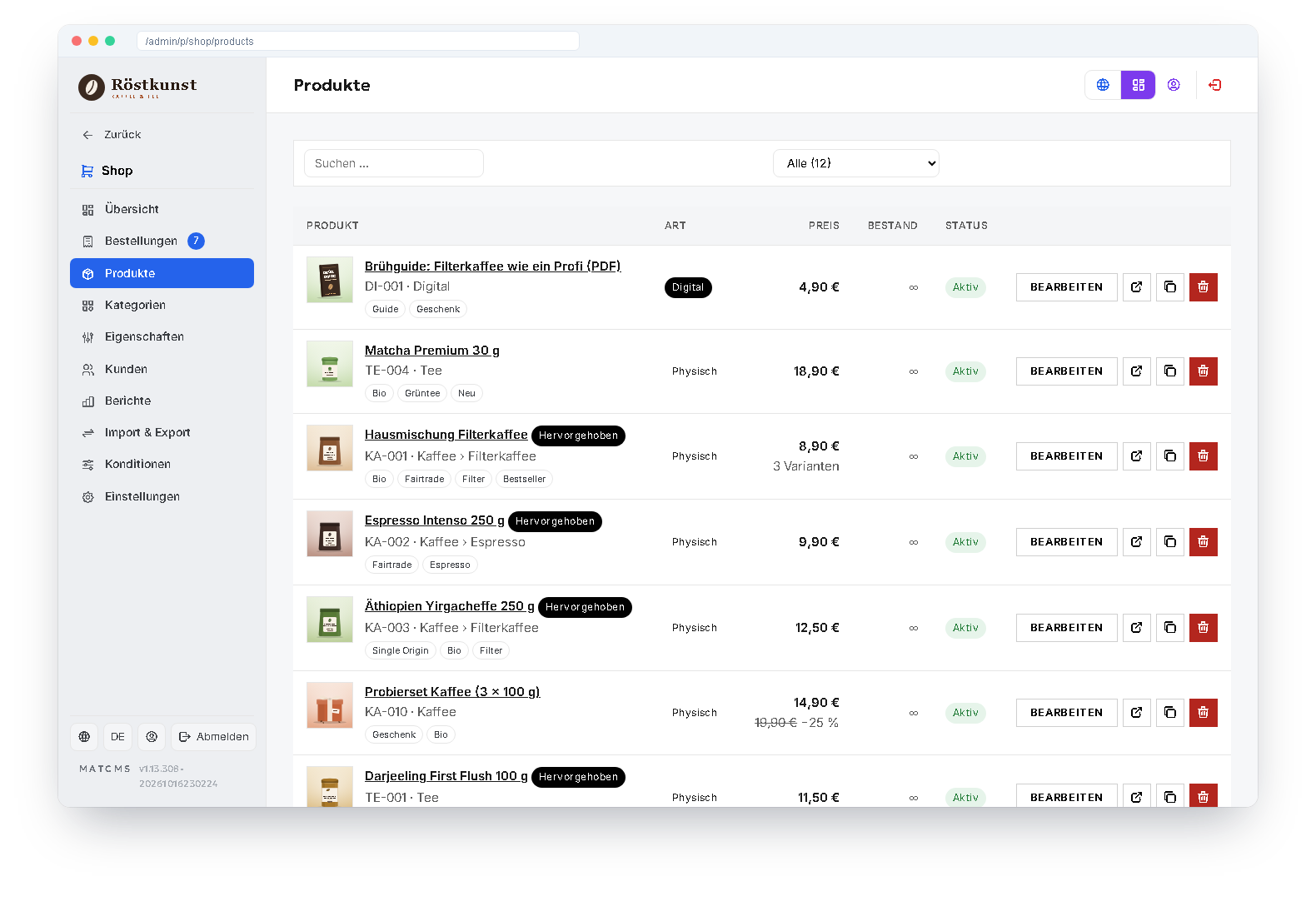
Products with images, variants, properties, tags and translations. Larger ranges come in via CSV — with a trial run that shows what would happen before anything is written.
The shop pages themselves — product, category, cart, account — you design in the block editor and in the design of your website. Products and categories can, if you wish, be created by the AI assistant; orders with customer data it never gets to see.
Experience the shop live
In the demo shop “Röstkunst” you can browse, fill the cart and watch the checkout flow.
To the demo shop